Google Business Profile's Social Media Updates Carousel: What It Is, Why It Matters, and How to Set It Up
Google is now pulling your social media posts directly into your Google Business Profile and displaying them in Search — without you having to do anything extra once your accounts are connected. If a potential customer searches for your business today, they may already see a scrollable row of your recent Facebook or Instagram posts sitting right below your address, phone number, and reviews. That row is called the Social Media Updates carousel, and it is one of the most accessible, zero-cost visibility upgrades available to local businesses right now. This guide covers exactly what it is, why it belongs in your local SEO strategy, and how to set it up in under five minutes.
What Is the Google Business Profile Social Media Updates Carousel?
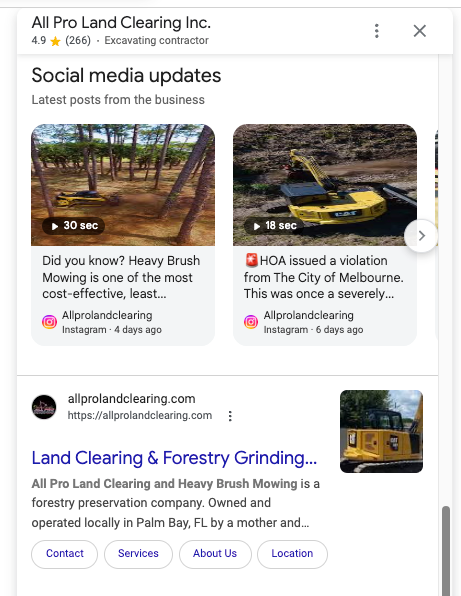
The Social Media Updates carousel is a section inside your Google Business Profile that automatically displays recent posts from your linked social media accounts as visual cards — complete with images, captions, timestamps, and source labels — directly below your core business information in Google Search.
When someone searches for your business by name, or a category search surfaces your profile, they no longer just see your hours and address. They see a live snapshot of your most recent social activity. That puts your content in front of high-intent searchers at the exact moment they are deciding whether to visit, call, or move on to a competitor.
Darren Shaw, founder of Whitespark and one of the most respected researchers in local SEO, was among the first to flag the feature publicly, writing that "Google is making it clear that social media is becoming a very important part of every business's local SEO strategy."
How the feature got here
This did not appear overnight. It is part of a deliberate, multi-year push by Google to integrate real-time social signals into local search results:
- October 2023 — Google introduced direct social profile linkage fields in the GBP dashboard, letting businesses manually connect their social accounts for the first time.
- March 1, 2024 — Google deprecated its auto-generated business.site mini-websites, increasing the search weight of linked external social profiles.
- March 11, 2024 — The Social Media Updates carousel launched, automatically pulling posts from linked accounts and rendering them as visual cards on Business Profiles.
- July 31, 2024 — Google shut down native GBP Chat, shifting direct user engagement toward linked social channels.
- July 10, 2025 — Instagram officially allowed Google and Bing to index public posts from professional accounts (users 18 and older, with content published on or after January 1, 2020), significantly expanding the content pool available to the carousel.
- May 14, 2025 — Google launched the "What's Happening" module, a top-of-profile promotional slot for single-location food and drink businesses in the US, UK, Canada, Australia, and New Zealand.
- October 24, 2025 — Google
expanded "What's Happening" access to multi-location and chain restaurants across the same five regions.
The "What's Happening" module
For bars and restaurants in the five supported regions, the "What's Happening" module goes a step further. It appears at the very top of an eligible Business Profile — above the standard business details — and surfaces time-sensitive content like happy hour specials, live music schedules, daily menus, and limited-time offers.
It can be populated in two ways: by creating an Offer or Event post directly inside your GBP dashboard, or automatically when Google's crawlers detect time-based promotional language in your linked Facebook, Instagram, or X posts — phrases like "Tonight Only," "Happy Hour 4–6 PM," or "Saturday Live Show."
Why the Social Media Carousel Matters for Local Businesses
Consumer behavior is shifting toward social-first discovery
Google is not integrating social content arbitrarily. It is responding to a measurable shift in how people find local businesses. According to
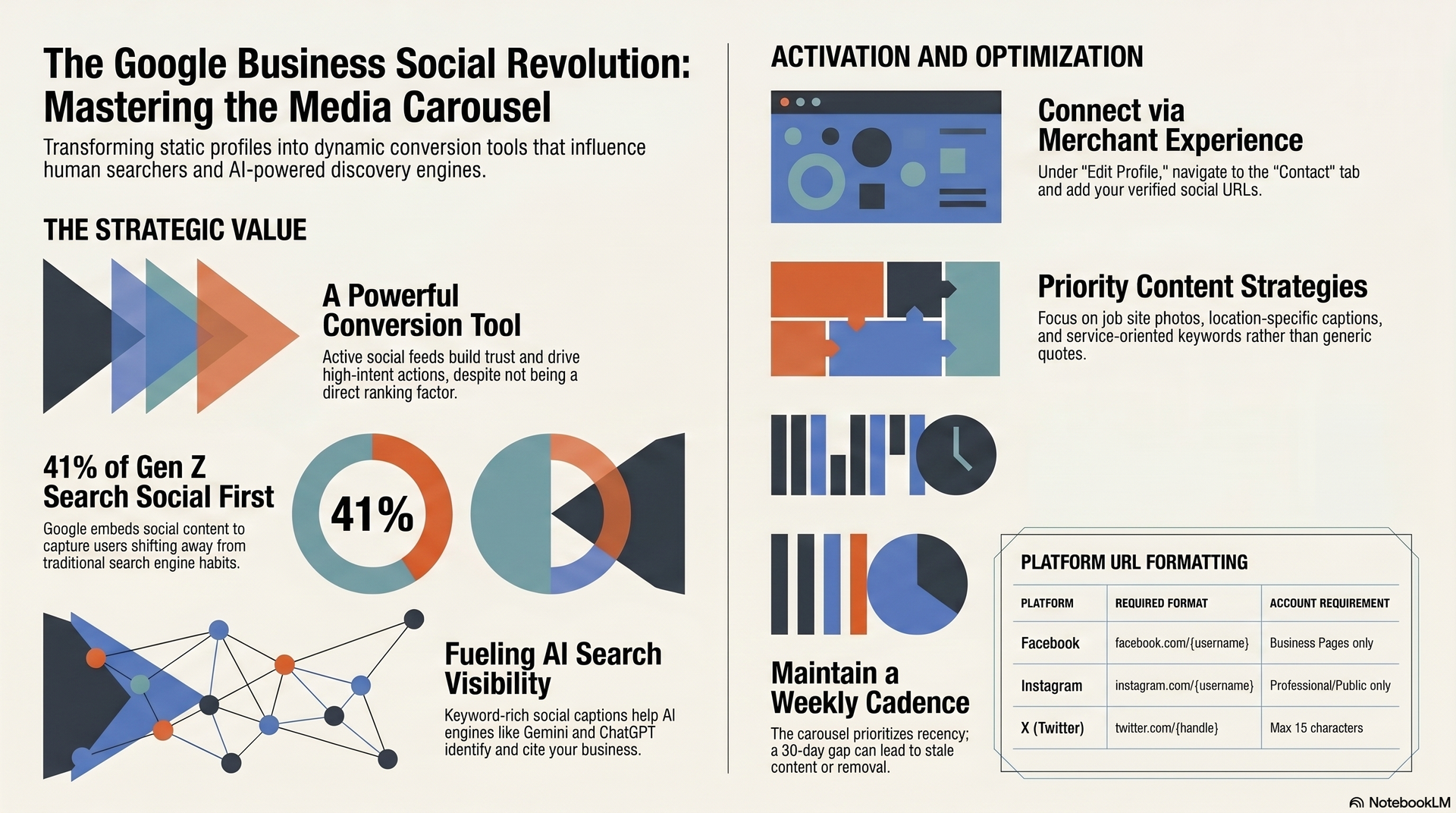
Sprout Social's Q2 2025 Pulse Survey, 41% of Gen Z turn to social platforms first when looking for information, ahead of traditional search engines at 32%. Additionally, 35% of all consumers use social media first to find local restaurants and activities.
By embedding social content directly into Search, Google is bridging both worlds — rewarding businesses that maintain active social presences while keeping users inside its ecosystem.
What the carousel does and does not do for rankings
It is worth being precise here: the Social Media Updates carousel is not a direct local ranking factor. According to
Whitespark's Local Search Ranking Factors research, social links and the carousel are optimization elements that do not independently move a business up in local pack rankings.
The factors that actually drive local ranking positions remain: primary GBP category selection (the single strongest relevance signal), the presence of core keywords in your business name where accurate,
active business status at the time of search, and a consistent flow of recent, high-quality customer reviews.
What the carousel does exceptionally well is serve as a
conversion tool. It builds trust by demonstrating that the business is active and operating. It gives searchers a richer, more credible profile to evaluate. A Business Profile with a live, current social feed is meaningfully more persuasive than a static one — and that persuasion translates directly into calls, direction requests, and site visits.
Multiple local SEO studies in 2026 show visibility drops for profiles that go 30 or more days without new photos, posts, or updates. Social media activity is now part of that freshness signal.
AI search visibility: the emerging opportunity
Beyond traditional local rankings, your linked social feeds directly influence how your business surfaces in AI-powered search engines — Google AI Overviews, Gemini, ChatGPT, and Perplexity. These platforms do not rely on standard metadata; they crawl diverse web resources to identify credible, current, location-specific answers.
When your social captions describe your services, locations, completed work, and offers in specific, keyword-rich language, they get indexed by Google's semantic engine and surfaced in conversational AI search results. Generic motivational quotes and holiday greetings are invisible to this system. Posts that describe what you do, where you do it, and who you serve get cited.
What This Means If You Run a Land Clearing or Excavation Company
Most contractors in this industry are sitting on a goldmine of content they are not using.
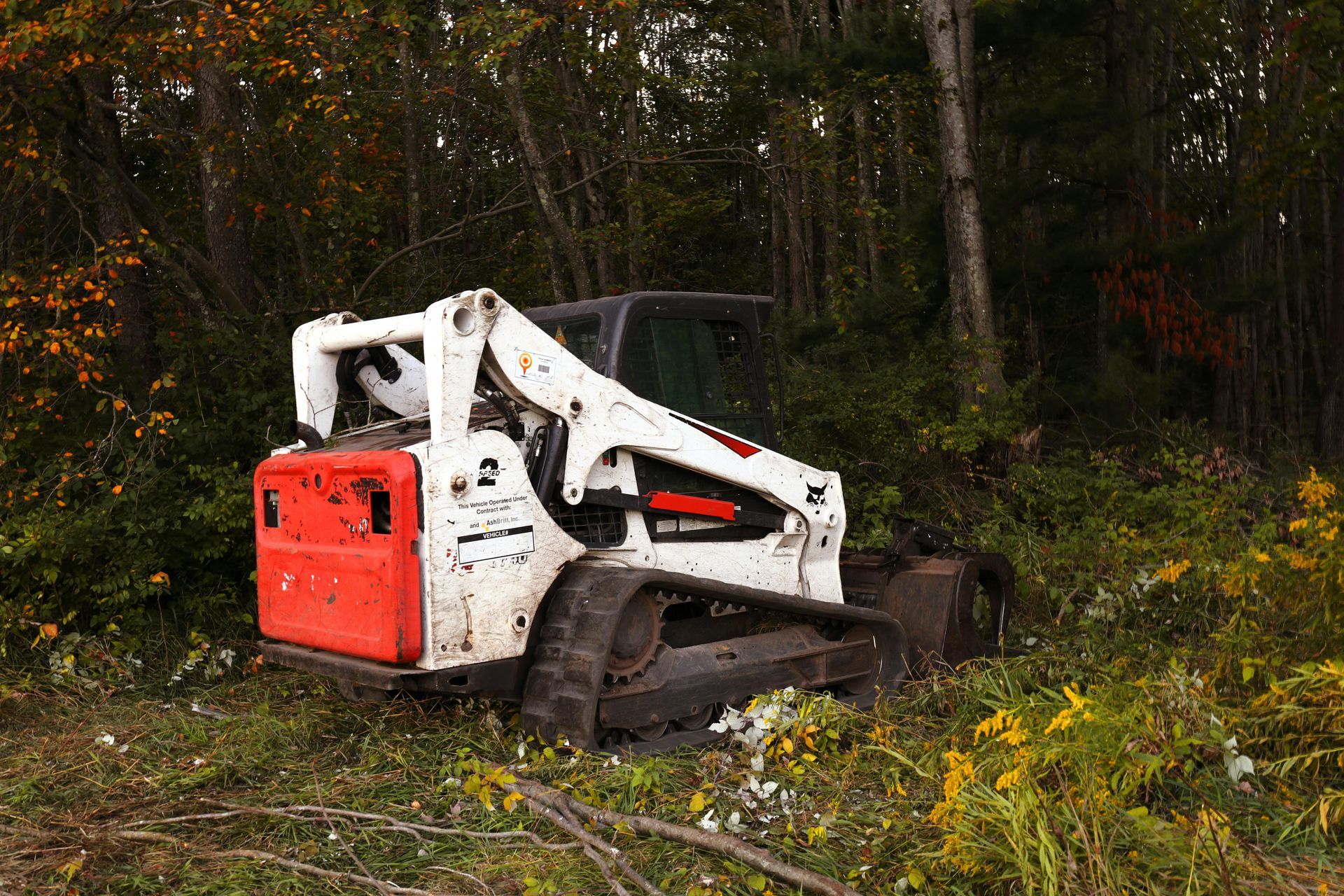
Every job site is a proof point. A freshly mulched five-acre tract in a fast-growing suburb. A graded pad ready for a commercial build. A right-of-way cleared for a utility corridor. Before-and-after shots from the cab of your forestry mulcher. That is exactly the kind of content Google's crawler wants to index and show to the next person searching "land clearing contractor near me" or "excavation company in [your county]."
The problem is most crews are too busy running equipment to think about posting — and when they do post, it is something generic that does nothing for local SEO.
Here is the reality for excavation and land clearing contractors specifically: your buyers are not impulse purchasers. A developer looking to clear 20 acres is going to Google your name before they ever call. A general contractor vetting a sub for a large grading project is going to look at your profile and judge whether you look like an active, serious operation. Your Google Business Profile — and especially what shows up in the social carousel — is often your first impression for the highest-value jobs on the market.
What actually performs well for this trade:
- Job site photos with location and service context. "Forest mulching complete on 8 acres in [County Name] — stumps, brush, and debris cleared and ready for development. [Business Name]" tells Google and the next prospect exactly what you do and where.
- Equipment in action. Mulcher heads, excavators, bulldozers working on real terrain. These images perform well visually in the carousel and signal to searchers that you have the equipment to handle serious jobs.
- Project scope callouts. Acreage cleared, depth of grading, type of terrain, intended use (residential development, commercial pad, utility installation, agricultural land conversion). Specifics build credibility fast.
- Service area mentions. If you work across multiple counties or states, rotating location mentions in your captions strengthens your geographic relevance signals in Google's index.
- Completed project recaps. "Wrapped up a 12-acre clearing and grubbing project outside [City Name] this week — lot prep for a new industrial facility. Call us for your next site." That is a post that ranks, converts, and positions you as a serious operator in one sentence.
What does not help: motivational quotes, holiday graphics, and vague "great team" posts with no location or service context. They look fine on your feed but contribute nothing to your local SEO footprint.
If your crew is out five days a week working jobs, you have five days a week of content. You do not need a full social media strategy — you need a habit. One photo per job with a two-sentence caption describing what was done and where. That alone, posted consistently to a connected Facebook or Instagram account, is enough to keep your carousel active and your profile looking like the busiest shop in your market.
How to Set It Up
Step 1: Connect your social profiles in GBP
The entire system depends on this step. Here is the exact process inside the
New Merchant Experience dashboard:
- Search your exact business name on Google, or open Google Maps and select your profile.
- Click "Edit Profile," then select the "Contact" tab.
- Click the pencil icon next to "Social Profiles."
- Select a platform from the dropdown and enter your normalized profile URL.
- Click "Add Social Profile" to connect additional platforms. To remove a link, click the trash icon next to it.
- Click "Save." Links typically go live within 10 minutes to a few hours after automated verification.
One important rule:
Google restricts each Business Profile to one linked account per platform. Attempting to save multiple accounts for the same platform will be automatically rejected. Connect your most active, primary account for each network.
Step 2: Use the correct URL formats
Google validates each link against platform-specific patterns. Use these:
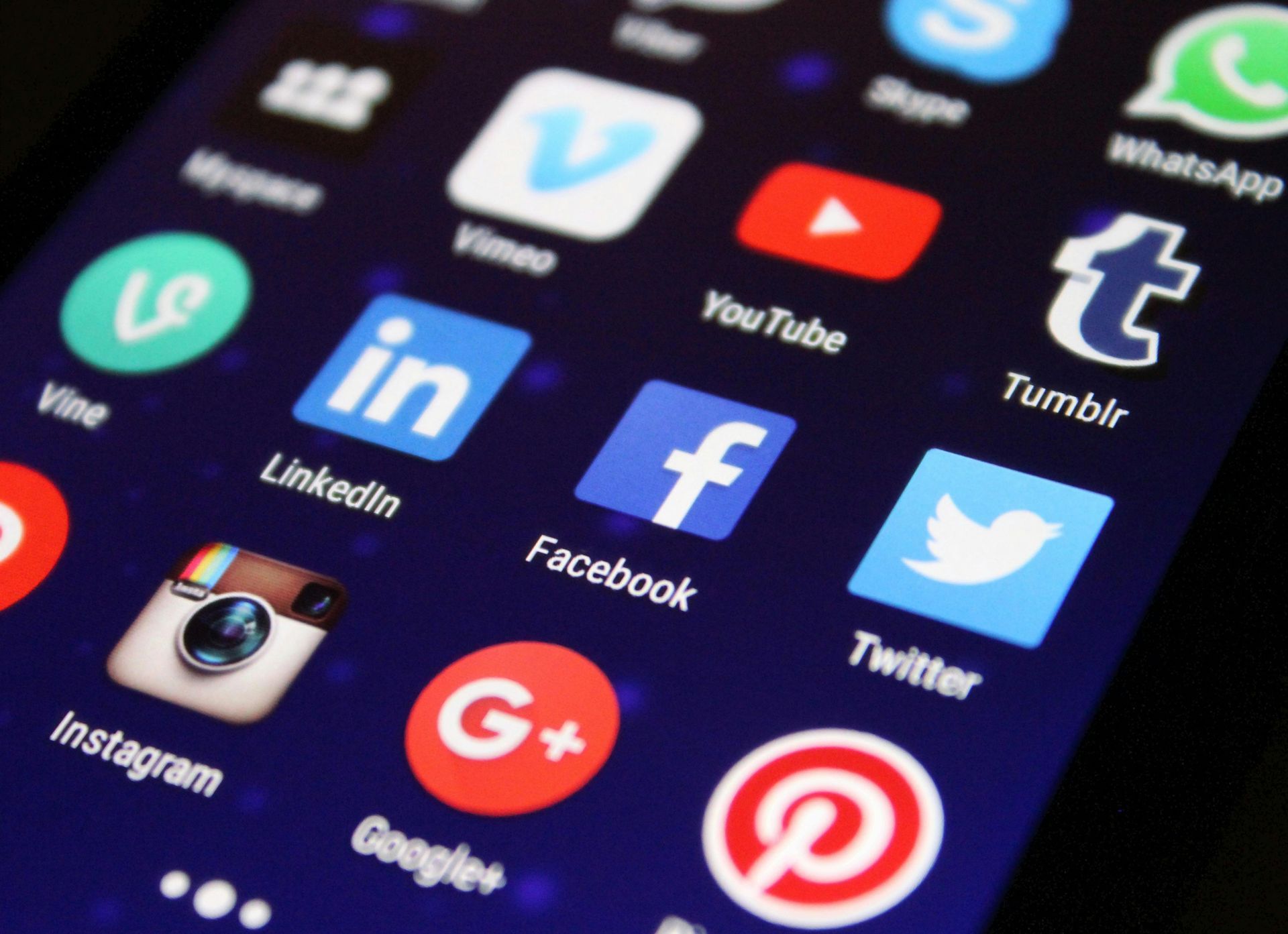
- Facebook: facebook.com/{username} — business pages only; personal profiles are not eligible
- Instagram: instagram.com/{username} — must be a public, professional account
- LinkedIn: linkedin.com/company/{name} — custom URLs are 3–100 characters, alphanumeric; editable only five times per six-month period
- Pinterest: pinterest.com/{username} — 3–30 characters; letters, numbers, and underscores only
- TikTok: tiktok.com/@{username} — username changes are limited to once every 30 days
- X (Twitter): twitter.com/{handle} — maximum 15 characters, alphanumeric and underscores only
- YouTube: youtube.com/@{handle} — 3–30 characters; hyphens and underscores cannot appear at the start or end
Step 3: Optimize the content that gets pulled
Connecting your accounts is the technical requirement. What appears in the carousel — and how useful it is to both searchers and AI systems — depends on your content quality. High-performing carousel-ready posts share a few characteristics:
Describe your services, not just your brand. Posts about what you do, where you operate, completed projects, and specific offerings give Google's crawlers something concrete to index.
Use location-specific language. Mentioning your city, county, or service area in captions strengthens local entity associations in Google's semantic index.
Write keyword-rich captions. Think of your captions like short meta descriptions. "Land clearing and stump grinding complete on a 6-acre residential lot in [City Name] — [Business Name]" outperforms "Great day on the job ✨" every time.
Add descriptive alt-text to images. On Instagram and other platforms, custom alt-text helps both accessibility and algorithmic understanding of what your images show.
Post at least weekly. The carousel surfaces your most recent posts. A 30-day gap means stale or missing content in the slot.
For businesses wanting to appear in Google AI Overviews and conversational AI results, implement LocalBusiness schema on your website with a sameAs array listing all your verified social profile URLs. This confirms the entity association between your website, GBP, and social channels — a critical signal for AI-powered ranking systems.
Social carousel vs. native GBP posts: use both
The social carousel does not replace your
native GBP posts. They serve different purposes.
The carousel is automatic, always-on, and driven by your existing social content — but it only appears in Google Search, not Google Maps, and it cannot include CTA buttons or structured offer types. Native GBP posts render instantly on both Search and Maps, support direct CTAs (Book, Order, Call, Learn More), and allow full Offer and Event posts with date ranges and coupon codes.
The smart approach is to run both in parallel. Use the carousel as a continuous freshness signal powered by your regular social workflow. Use native GBP posts for time-sensitive promotions and anything requiring a direct conversion action — especially since Maps is where many high-intent local searches happen.
Frequently Asked Questions
Does connecting social profiles improve my local ranking positions?
Not directly. Per Whitespark's Local Search Ranking Factors, social links do not independently shift local pack rankings. Their primary value is as a conversion tool: they build profile credibility, demonstrate business activity, and make your listing more persuasive to searchers who are already considering you.
Which platforms actually show in the carousel?
In practice, the carousel pulls most reliably from Facebook and Instagram. Coverage from other connected platforms is limited or still expanding. Google has not published a definitive list. The safest approach is to connect all supported platforms and prioritize consistent posting on Facebook and Instagram.
Does my Instagram need to be a business account?
Yes. As of July 10, 2025, Instagram officially allows search engines to index public content from professional accounts only — business or creator accounts for users 18 and older, covering content published on or after January 1, 2020. Personal and private accounts are excluded. To verify your setting: Instagram Settings → Privacy → Search Engine Indexing.
What is the "What's Happening" module and does my business qualify?
It is a top-of-profile promotional slot for bars and restaurants in the US, UK, Canada, Australia, and New Zealand, initially launched in May 2025 and expanded to multi-location chains in October 2025. It is currently limited to food and drink businesses in those five regions and does not apply to land clearing, excavation, or demolition companies at this time.
Can I choose which posts appear in the carousel?
No. You control which platforms are connected, not which individual posts appear. Google selects based on recency and filters content through its automated SafeSearch system. The best way to influence what shows is to maintain a consistent, high-quality posting cadence with service-oriented content on your connected accounts.
How long does it take for posts to appear after linking?
The social profile link typically goes live within 10 minutes to a few hours after saving. Individual posts then enter Google's crawl and indexing queue, which can take anywhere from hours to a few days. Native GBP posts, by contrast, render immediately after passing automated moderation.
Featured Resources
Check Our Latest Resources